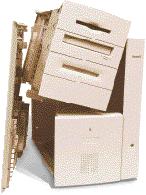
How do they work?
Expansion cards have a row of connectors which fit into precision sockets when the card is installed. These hook the card into the Mac’s internal electrical circuitry, giving them direct and very fast access to the processor. Cards normally contain their own read-only memory (ROM) to help them be recognised and work properly during the startup process, and you may need an extension and additional software to drive the card from the Mac OS and applications. NuBus is an old standard supported by Macs based on 68000 family processors (and the first Power Macs). PCI replaced that in more recent Power Macs. Processor Direct Slots (PDS) were offered as limited expansion features in some older models such as the Performas. What do they do?
Internal expansion buses add new capabilities to your Mac’s hardware. In some older and newer Macs, they allow you to connect graphics cards to drive one or more monitors. Ethernet networking support may also require an expansion card in older or simpler models. More specialist interests need special hardware, such as video input and output systems, high-quality sound input and output, and so on, and the newest models without built-in SCSI can have SCSI adaptors fitted to connect existing peripherals. These buses may also allow you to add a faster processor, a PC on a card, TV tuners, and more. What can go wrong with them?
A loose card can cause serious problems, and may prevent your Mac starting up at all. Most other glitches result from software drivers, in the form of conflicts with their extensions and control panels, which may need updating. Treat these as any other type of conflict, using Extensions Manager to isolate the problem. How can I upgrade them?
Software and some firmware (the ROM on the expansion card) updates are provided by their manufacturers, although cards bundled by Apple, such as ATI graphics adaptors are normally supported in Apple updates to OpenGL and the Mac OS itself. While you can’t modify a NuBus Mac to take PCI cards, if desperate you can get chassis to allow you to use NuBus cards with PCI Power Macs. Further info
Installing an expansion card is covered in the documentation provided with each Mac. Web sites worth visiting include support.info.apple.com/info.apple.com/applespec/applespec.taf Apple Spec Online, a database on all Mac hardware, including expansion slot information; and w3.trib.com/~dwood/oldmac.html detailed resources and links for those with older Macs, covering PDS and NuBus too. |